
Fulton County Parcel Search & GIS Map Guide (2026)


Welcome to Part 2 of our comprehensive guide to Fulton County property lookup. In Part 1, we covered the basics of searching by address and owner name. Now we’ll explore more advanced techniques including parcel ID searches, GIS mapping, deed research, and tax assessment analysis.
Table of Contents
Step-by-Step: How to Search by Parcel ID
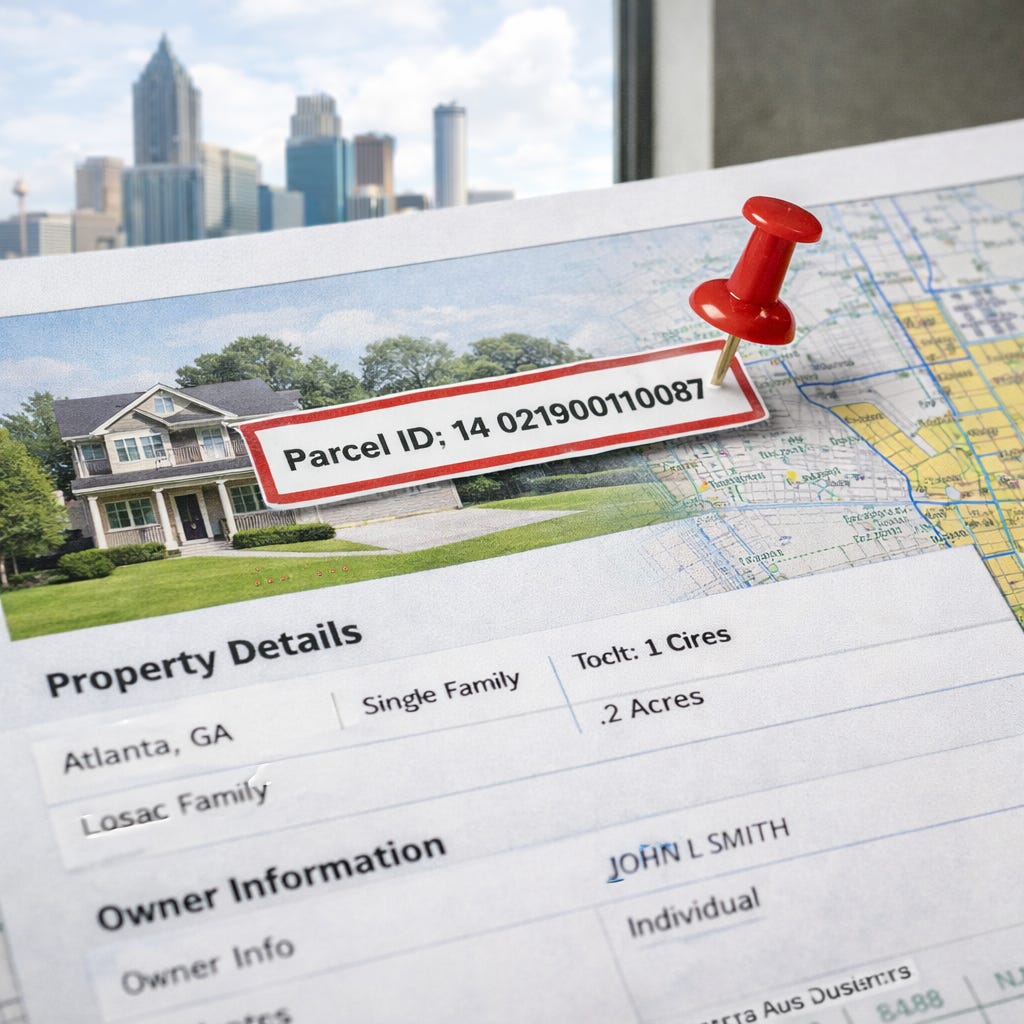
Every property in Fulton County has a unique parcel ID number (also called a parcel number or tax ID). This is the most precise way to conduct a Fulton County property lookup because it eliminates all ambiguity.
What Is a Parcel ID?
A parcel ID is a unique numerical identifier assigned by the county to every piece of real estate. In Fulton County, parcel IDs typically contain 14-17 digits with various formatting (e.g., 14 0123 0456 789). The format varies by tax district within the county.
Step-by-Step Parcel ID Search:
Step 1: Access the Fulton County Board of Assessors search page
Step 2: Select “Parcel ID Search” or enter the parcel number in the designated field.
Step 3: Enter the complete parcel ID exactly as formatted. Don’t add spaces or dashes unless that’s how it appears on your source document.
Step 4: Click “Search.”
Step 5: The exact property record will appear. This method eliminates ambiguity—especially useful for condos with similar addresses or properties with multiple units.
When to Use Parcel ID Search:
You’re researching a specific condo unit in a large Midtown high-rise
You’re verifying vacant land parcels that don’t have traditional street addresses
You’re cross-referencing between different county systems
You’re working from a tax lien list that references parcel numbers
Address searches return multiple results or wrong properties
How to Find Your Parcel ID
If you don’t already have the parcel ID, here are several ways to find it:
Method 1: From a Property Tax Bill
Look for “Parcel ID,” “Tax ID,” or “Account Number” on any property tax statement. The Fulton County Tax Commissioner sends annual bills with this information prominently displayed.
Method 2: From a Previous Address Search
Once you’ve searched by address on the Board of Assessors site, the parcel ID appears on the property record card, usually near the top of the page.
Method 3: From the GIS Map
Click on any property in the Fulton County GIS system to reveal its parcel ID in the popup information window.
Method 4: From a Recorded Deed
Legal descriptions in recorded deeds often reference the parcel ID. Search for the property in GSCCCA and view the deed to find this information.
Method 5: Call the Assessor’s Office
If you’re having trouble finding the parcel ID, call the Fulton County Board of Assessors at (404) 612-6440. Provide the address and they can look up the parcel number for you.
How to Use the Fulton County GIS Map Search
The Fulton County GIS (Geographic Information System) map is a powerful visual tool for property research. It’s especially useful for land investors, developers, and anyone researching properties without exact addresses.
When the GIS Map Search Helps:
Finding vacant land or lots without street addresses
Understanding property boundaries and lot lines
Identifying neighboring parcels for land assemblage
Checking zoning districts and flood zones
Viewing aerial imagery of properties
Researching properties in rural or developing areas
Verifying lot size and dimensions
Step-by-Step GIS Map Search:
Step 1: Navigate to the Fulton County GIS portal
Step 2: Access the property search or interactive map tool. The interface updates periodically, so look for “Property Search,” “Interactive Map,” or “Web Mapping” options.
Step 3: Use one of these methods to locate a property:
Address search: Enter the address in the search bar
Zoom and click: Navigate to the area using the map controls, then click directly on a parcel
Parcel ID search: Enter the parcel number if you have it
Coordinates: Enter latitude/longitude for precise locations
Step 4: Once you click on a parcel, a popup or sidebar displays:
Parcel ID
Owner name
Property address
Zoning classification
Lot size (acres or square feet)
Link to full property record
Step 5: Use the map layers to toggle additional information:
Zoning districts: See current zoning classification
Flood zones: Identify FEMA flood hazard areas
School districts: Determine which schools serve the property
Council districts: View political district boundaries
Aerial imagery: Switch between map view and satellite imagery
Property boundaries: See exact parcel lines and dimensions
Step 6: Measure distances and areas using the measurement tools.
Step 7: Print or export maps using the tools provided in the interface.
GIS Tips for Atlanta Neighborhoods:
West End/Westview: Use aerial imagery to identify vacant lots before visiting in person
East Atlanta: Zoning overlays help identify mixed-use development opportunities
Buckhead: Parcel boundaries clarify which properties share common areas in condo developments
Downtown condos: GIS shows the entire building footprint; use parcel ID to isolate individual units
Campbellton Road corridor: Identify commercial parcels and zoning for business ventures
Understanding GIS Data Layers:
The GIS system offers multiple data layers you can turn on or off:
Parcel lines: Shows exact property boundaries
Topography: Elevation and terrain features
Utilities: Water, sewer, and power line locations (when available)
Historic districts: Preservation and historic overlay zones
Tax allocation districts: Special taxing areas
Future land use: Planned development zones
For investors researching land opportunities, the GIS system reveals details that aren’t apparent from street-level visits.
How to Find Deeds, Plats, and Recorded Documents in Fulton County
Property deeds, mortgages, liens, and plats are recorded with the Fulton County Clerk of Superior Court. Here’s how to access these legal documents online for your Fulton County property lookup.
Primary Resource: Georgia Superior Court Clerks’ Cooperative Authority (GSCCCA)
The GSCCCA maintains digitized real estate records for all Georgia counties, including Fulton. This is the primary system for accessing actual deed copies and other recorded instruments.
Step-by-Step Deed Search in GSCCCA:
Step 1: Go to the GSCCCA search portal
Step 2: Create a free account. You’ll need an email address and basic contact information. Account creation is instant.
Step 3: Once logged in, select “Real Estate Records” from the main menu.
Step 4: Choose “Fulton County” from the county dropdown menu.
Step 5: Search by one of these methods:
Grantor/Grantee Name Search:
Grantor = Seller (person giving away property)
Grantee = Buyer (person receiving property)
Enter last name, first name
Optionally narrow by date range
Date Range Search:
Specify start and end dates
Useful for monitoring recent recordings
Book and Page Search:
If you have a specific citation (e.g., “Deed Book 12345, Page 678”)
Enter exact book and page numbers
Step 6: Review search results. You’ll see a list of recorded instruments with:
Recording date
Document type (Warranty Deed, Security Deed, Lien, etc.)
Book and page number
Grantor and grantee names
Step 7: Click on any document to view it. The first page displays free. Full document downloads require purchasing credits.
Step 8: Purchase credits if needed (major credit cards accepted). Typical cost: $0.25-$1.00 per page depending on document length.
Step 9: Download and save documents to your computer.
Document Types You’ll Find in GSCCCA:
Warranty Deed: Standard deed with full title guarantees
Quitclaim Deed: Transfer without warranties (common in divorce, estate transfers)
Security Deed: Georgia’s term for a mortgage
Deed to Secure Debt: Another term for mortgage/lien
Cancellation/Release: Document releasing a paid mortgage or lien
Plat: Survey map showing property boundaries and dimensions
Easement: Right to use another’s property for specific purpose
Covenant: Restrictions on property use (HOA rules, deed restrictions)
Lis Pendens: Notice of pending lawsuit affecting the property
Lien: Claim against property (tax lien, mechanic’s lien, judgment lien)
Understanding Deed Search Results:
When you search by a person’s name, you’ll see two types of results:
As Grantor: Properties this person SOLD
As Grantee: Properties this person PURCHASED
To trace ownership history, search the current owner as grantee to find when they bought, then search the previous owner as grantor to see when they sold, and continue backward.
Tips for Effective Deed Searches:
Search both buyer and seller names to see full transaction history
Use date ranges to narrow results in common names (e.g., “Smith”)
Check document type to filter out irrelevant documents
Download full deeds, not just first pages, to see legal descriptions and restrictions
For corporate owners, search exact entity name including “LLC,” “Inc,” etc.
How to Check Assessed Value, Tax History, and Exemptions
Understanding a property’s assessed value and tax history is crucial for buyers estimating costs and investors evaluating deals during your Fulton County property lookup.
Checking Current Assessed Value:
Step 1: Access the Fulton County Board of Assessors site
Step 2: Search by address, owner name, or parcel ID (see Part 1 of this guide).
Step 3: On the property record card, locate the valuation section showing:
Assessed Value: The taxable value (40% of fair market value in Georgia)
Fair Market Value Estimate: Assessed value ÷ 0.40
Land Value: Value attributed to the lot
Improvement Value: Value attributed to structures
Total Value: Land + improvements
Step 4: Scroll down to find “Tax Digest History” showing:
Assessed values for previous years (typically 5-10 years)
Year-over-year changes
Historical land and improvement values
Understanding Georgia’s Assessment System:
Georgia law requires assessed value to equal 40% of fair market value. Here’s how to interpret the numbers:
Assessed Value: $100,000 = Estimated Market Value: $250,000
Assessed Value: $80,000 = Estimated Market Value: $200,000
Assessed Value: $200,000 = Estimated Market Value: $500,000
Property taxes are calculated on the assessed value, not the market value. To estimate annual taxes:
Assessed Value × Millage Rate = Annual Taxes
For Fulton County (City of Atlanta), the combined millage rate is approximately 35-40 mills (varies by location and year). One mill = $1 per $1,000 of assessed value.
Example:
Assessed Value: $100,000
Millage Rate: 37 mills
Calculation: $100,000 × 0.037 = $3,700 annual property tax (before exemptions)
Understanding Property Tax Assessments in Fulton County
Fulton County reassesses properties periodically. Here’s what you need to know:
Assessment Cycle:
Fulton County operates on a rolling assessment cycle, with different areas assessed in different years. The county aims to keep values current with market conditions.
When Assessments Change:
Annual adjustments based on market trends
After building permits for improvements
After property transfers (sale triggers review)
Following appeals or challenges
How to Check Tax Payment Status:
Step 1: Visit the Fulton County Tax Commissioner site
Step 2: Look for “Property Tax Search” or “Pay Property Taxes Online.”
Step 3: Search by parcel ID or property address.
Step 4: View information including:
Current year tax bill amount
Payment status (paid, unpaid, partial)
Payment history for previous years
Any penalties or interest on late payments
Outstanding delinquent amounts
Step 5: Access prior year payment history to verify consistent tax payment.
Reading Your Tax Bill:
Tax bills in Fulton County include multiple taxing authorities:
County general fund
County school tax
City tax (if inside city limits)
Special districts (if applicable)
Each authority sets its own millage rate, which are combined for your total bill.
Subscribe
Checking Homestead Exemptions
Homestead exemptions reduce the taxable assessed value for owner-occupied properties. Here’s how to verify exemption status during your Fulton County property lookup.
Finding Exemption Information:
On the Board of Assessors property card, scroll to the “Exemptions” section. You’ll see:
Exemption types: L1 (basic homestead), L2 (senior), L3 (disabled veteran), etc.
Exemption amounts: How much assessed value is reduced
Effective date: When the exemption began
Common Fulton County Exemptions:
Basic Homestead (L1):
Reduces assessed value by $30,000 for county tax
Reduces assessed value by $30,000 for school tax
Must be owner-occupied primary residence
Must apply by April 1
Senior Exemption (Age 65+):
Additional exemptions available based on income
Can reduce or eliminate school tax
Requires annual income verification
Stacks with basic homestead
Disabled Veteran:
Various exemption levels based on disability rating
Can significantly reduce or eliminate property tax
Requires VA documentation
Important Exemption Notes:
Exemptions belong to the owner, NOT the property. When you purchase a home:
Seller’s exemptions end at closing
You must apply for your own exemptions
Budget for full taxes until your exemption is approved
Applications submitted by April 1 take effect that tax year
To apply for exemptions, contact the Fulton County Board of Assessors or visit their office with proof of ownership and residency.
Frequently Asked Questions
1. What is a parcel ID and where do I find it in Fulton County?
A parcel ID is a unique numerical identifier assigned to each property by the county. Find it on property tax bills, on the Board of Assessors property card after searching by address, or by clicking properties in the GIS map system.
2. How do I search for foreclosure properties in Fulton County?
Search the GSCCCA portal for recent “Foreclosure Deed” or “Deed Under Power” documents. Also monitor the Fulton County Sheriff’s foreclosure auction calendar on the county website for upcoming sales.
3. Can I see sold property prices in Fulton County records?
Yes. The Board of Assessors property card includes a “Sale History” section showing recorded sale dates and prices. For complete details, pull the actual deed from GSCCCA, though some deeds list only nominal amounts.
4. How do I look up property tax history in Fulton County?
Visit the Board of Assessors site, search for the property, and scroll to “Tax Digest History” showing assessed values and tax amounts for multiple years. For payment history, check the Tax Commissioner site.
5. Are Fulton County GIS maps free to use?
Yes. The Fulton County GIS mapping portal is free and publicly accessible. You can view parcel boundaries, zoning, flood zones, and aerial imagery at no cost.
6. How long does it take for a deed to show up in Fulton County records?
Typically 30-60 days from closing. During high-volume periods or for complex transactions like new condos, it can take 90 days or longer. The deed is legally recorded when filed, but online databases update on a delay.
7. How do I apply for a homestead exemption in Fulton County?
File with the Fulton County Board of Assessors by April 1 of the year you want the exemption to begin. You’ll need proof of ownership and residency. Visit their office or website for application forms and requirements.